Data Quality Made Simple: A Quick Guide to Microsoft Fabric + Purview Setup
Data quality isn't just a checkbox — it's the backbone of reliable analytics. Learn how to set up automated quality checks and profiling with Microsoft Purview and Fabric Lakehouse.
#Purpose
Data quality isn't just a checkbox — it's the backbone of reliable analytics. With Microsoft Purview and Fabric Lakehouse, you can automate quality checks and profiling so your data stays accurate, complete, and ready for action.
To continuously assess your Lakehouse assets and capture results as quality scores and column profiles in Purview's Unified Catalog. This means better governance, fewer surprises, and more trust in your data.
#Prerequisites
- Fabric environment registered in Purview Data Map
- Purview MSI with Contributor role on Fabric workspace
- Workspace, Lakehouse, Tenant IDs handy
- Purview Unified Catalog enabled (check Health Management → Data Quality)
#High-Level Flow
Register Fabric → Create Data Product → Create Connection → Select Asset → Add Rules → Run Quality Scan → View Score & Profile → Monitor & Improve.
#Step 1: Create a Data Product
In Unified Catalog:
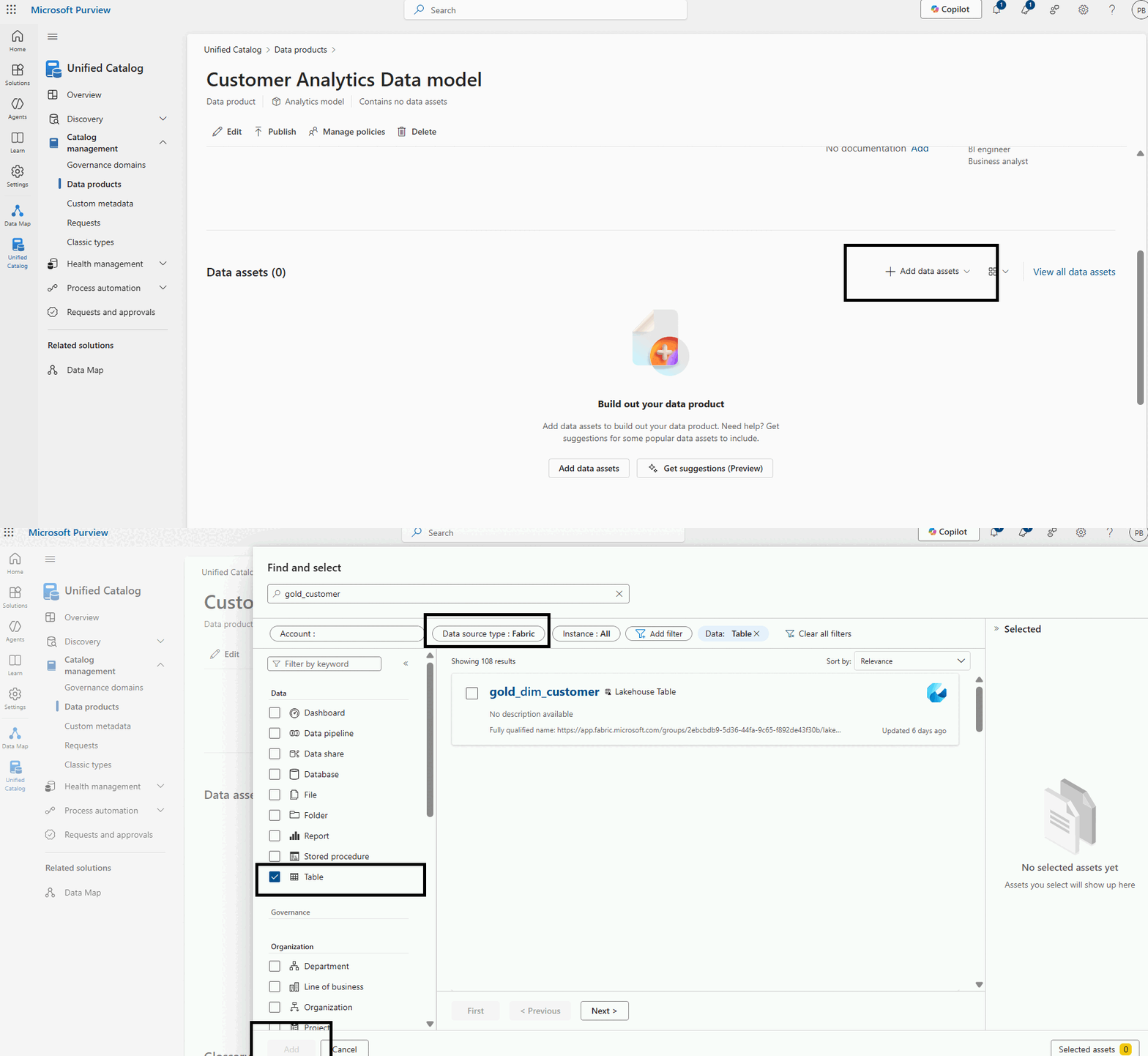
- Go to Data Products → New Product
- Represent a logical dataset (e.g., Customer Analytics)
- Assign governance domain & ownership

- Add Fabric Asset in the data product
#Step 2: Connect Fabric
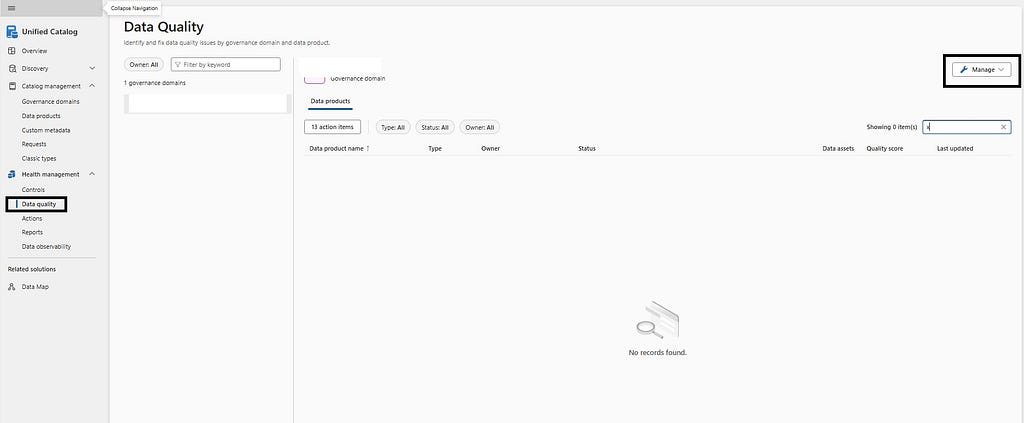
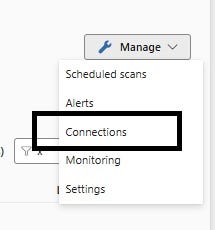
Navigate: Health Management → Data Quality → Manage → Connections → New
Provide:
- Display Name & Description
- Source Type: Fabric
- Tenant, Workspace, Lakehouse IDs
- Credential: Purview MSI (ensure workspace access)

This enables Purview to reach Lakehouse tables for rule evaluation and profiling.
#Add Data Quality Rules
Typical rule categories you can configure:
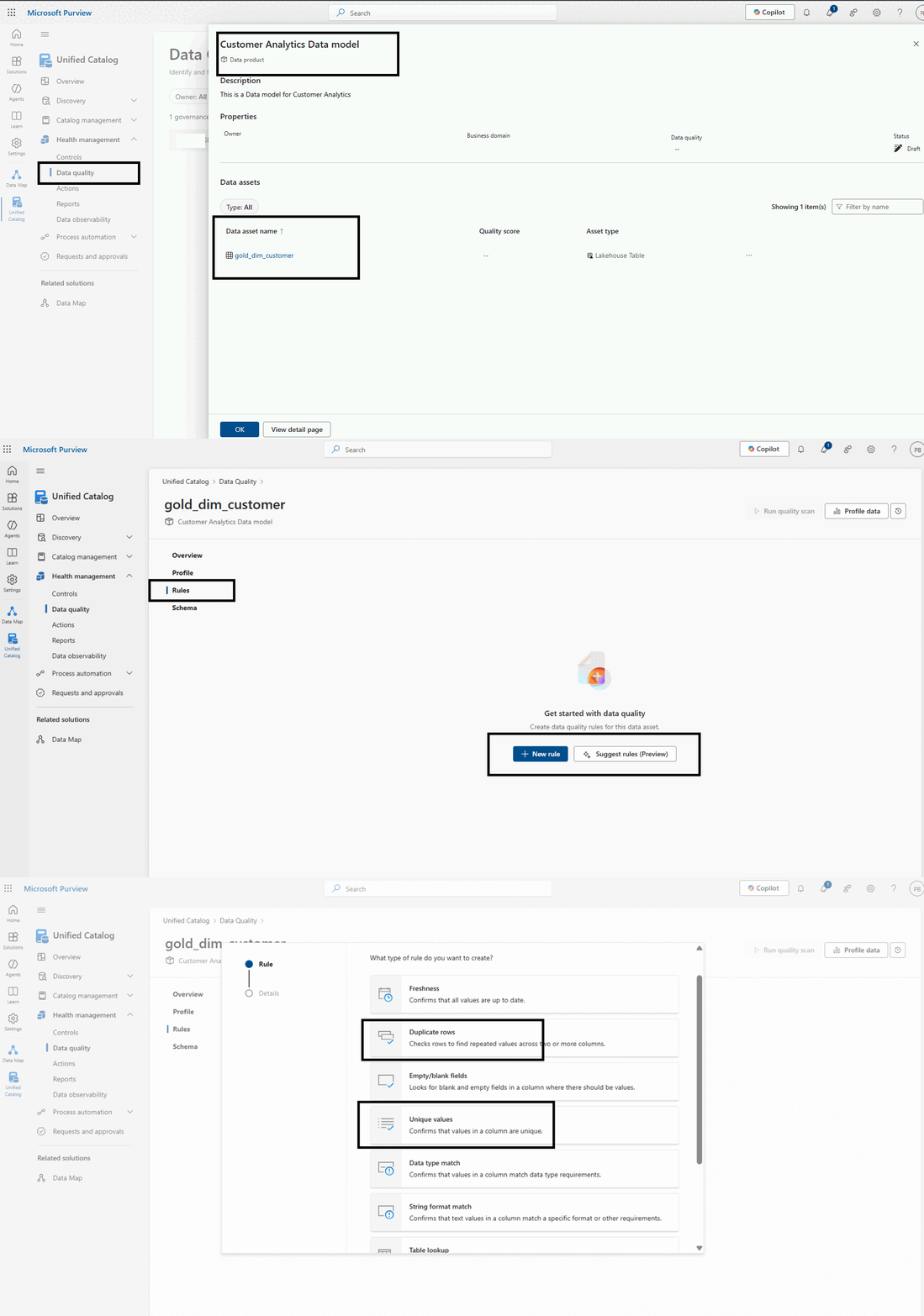
- NULL / Completeness: Required column non-null ratio
- Uniqueness: Primary / business key duplicate count
- Schema: Presence of expected columns
- Domain / Conformity: Value in allowed set
- Freshness: Max ingestion timestamp vs SLA
- Numeric range / Pattern: Format validation
Each rule gets a threshold and severity. Add multiple rules to same asset.
#Run Data Quality Scan
After rules are saved:
- Trigger a Data Quality Scan.
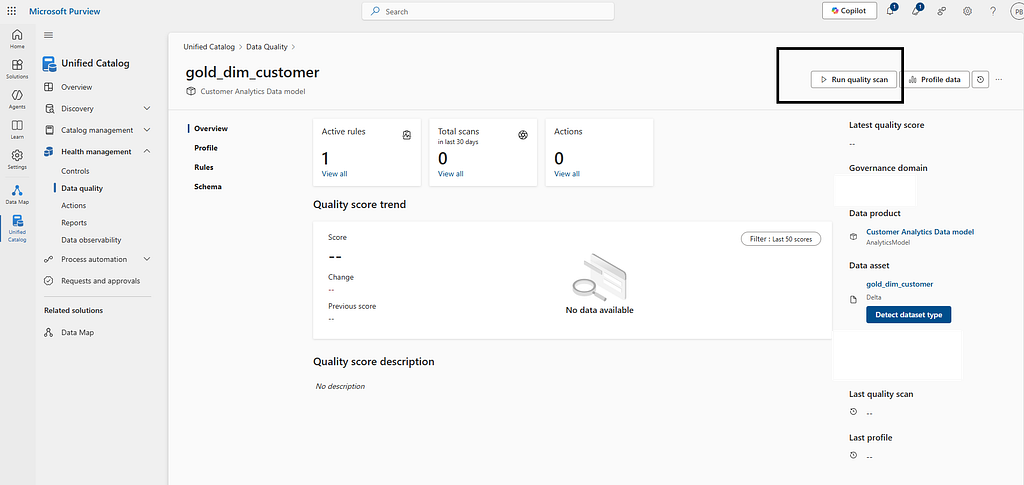
- Purview evaluates all configured rules.
- A composite Quality Score is generated for the asset (rules passed / weighted logic).
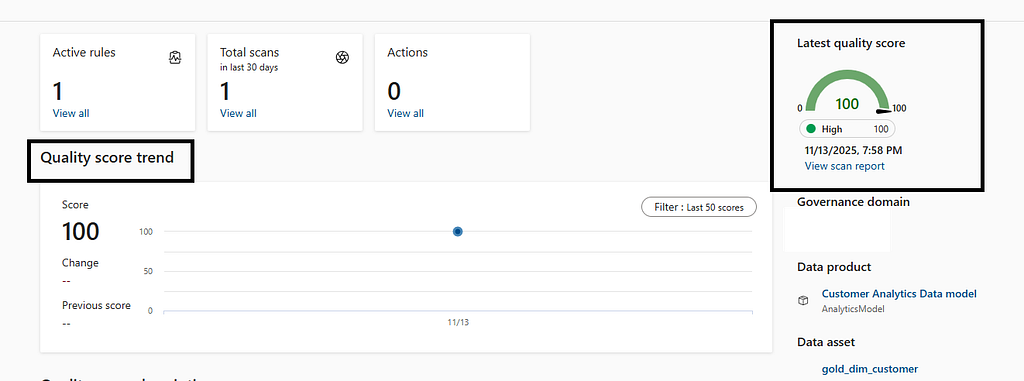
- You can also setup a schedule for Data quality check
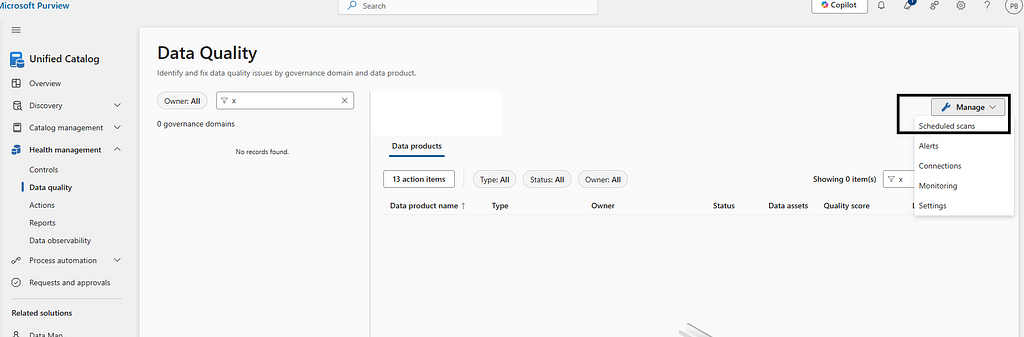
- You can also set Alerting on the Quality score threshold
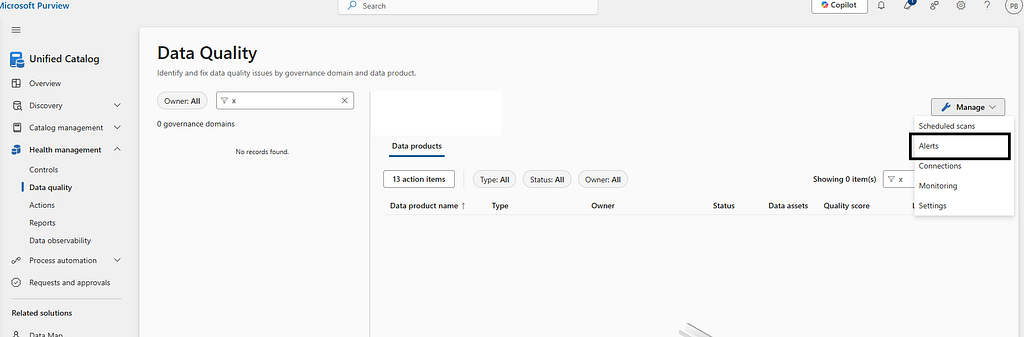
#Run Data Profile Scan (Optional but Recommended)
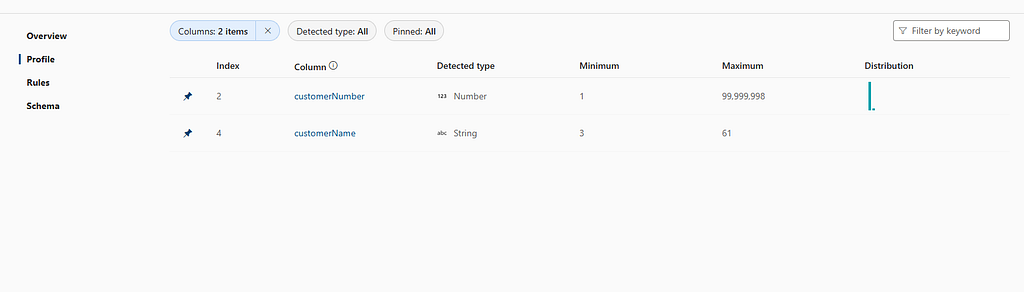
Profile scan enriches:
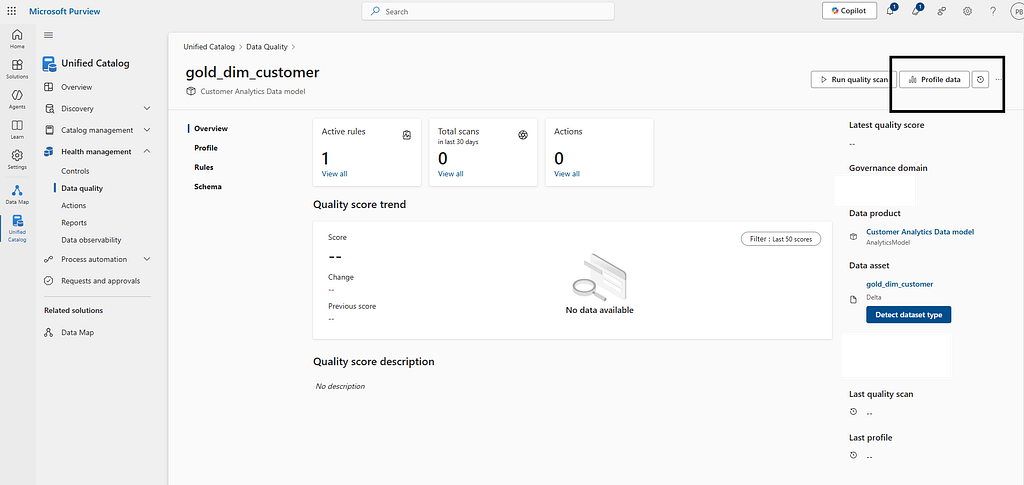
- Column-level stats (distinct count, null %, min/max, data types)
- Distribution insights
- Supports verification of rule assumptions (e.g., cardinality, skew)
Select asset → Run Profile → Inspect "Profile" tab for each column.
Get future articles
Follow for practical Microsoft Fabric, Azure, Spark, and data engineering writeups.